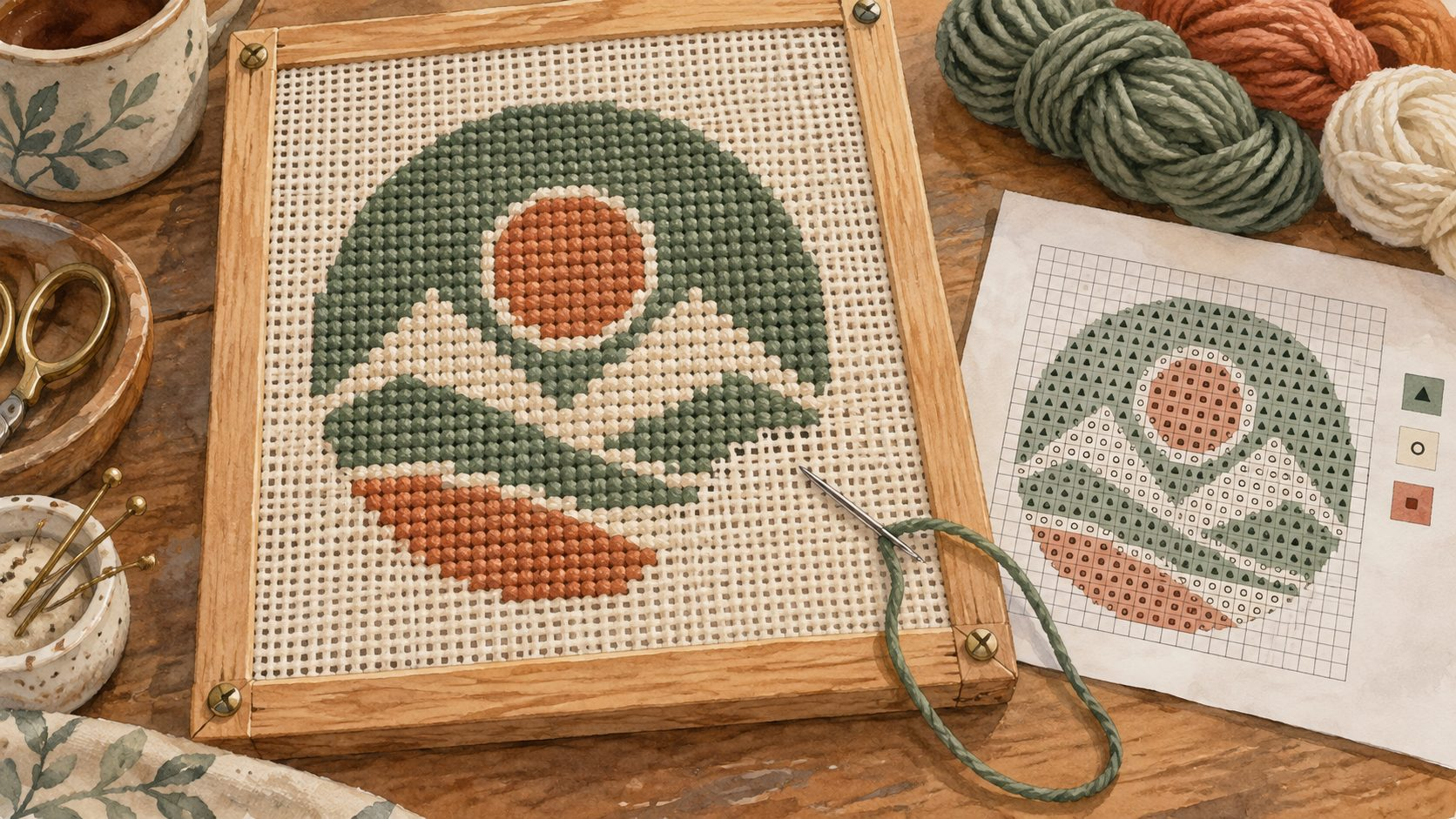
Logos are nearly ideal needlepoint subjects: flat colors, bold shapes, and designs meant to read at a glance. The work is in translation - a logo built for screens has to survive as a grid of stitches, which means simplifying colors, thickening thin lines, and choosing a mesh that holds the detail you care about. You can convert one yourself in an evening, or hand it to a custom canvas service.
The short path: crop the logo tight, reduce it to a handful of flat colors, convert it to a stitch chart at your mesh count, clean up stray confetti stitches, and stitch. Our photo to needlepoint pattern guide walks the conversion step by step. One rule before anything else: only chart a logo you own or have permission to use (see the legal section).
Why logos translate well to needlepoint
Most logos are designed to be recognizable at small sizes with a few flat colors, which is exactly what a stitch chart wants. Unlike a photograph, a logo usually has no skin tones, soft shadows, or photographic texture to lose. PhotoToPattern's color-reduction guide makes the key point: the goal is not the fewest possible colors, it is keeping the colors and isolated stitches that explain the subject while removing differences no one can see in the finished piece. For a logo, the "subject" is the silhouette and the brand colors, and those usually survive conversion intact.
Simplify the artwork first
Work on the image before you convert it. Stitchmate's needlepoint converter advice starts with the crop: canvases are usually smaller than you think, so crop tight to the mark rather than converting a whole scene or letterhead. Then simplify:
- Drop gradients and shadows. Replace them with the nearest flat brand color. Gradients are the main source of confetti - isolated stitches and tiny color islands that make a chart hard to read and force constant thread changes (PhotoToPattern).
- Thicken thin lines and small text. A one-pixel line becomes a one-stitch line, which on 13 mesh is about 2 mm of stitching. Fine taglines under a logo rarely survive; enlarge the text, cut it, or stitch it separately (see stitching letters).
- Set a color budget. Count the logo's real colors, add a background, and aim for that number plus one or two. PhotoToPattern warns that a preview can make a complicated chart look smooth, so inspect the symbol chart, not just the preview, before committing.
Mesh, size, and colors
Mesh count sets both the finished size and how much detail the logo keeps. Stitchmate's rule of thumb: 13 mesh is the everyday choice, while 18 mesh holds far more detail on the same canvas (see 13 vs 18 mesh). For a logo, decide by the finest element you must keep. A bold monogram reads fine at 13; a crest with thin outlines or a wordmark under the mark wants 18. Knyt Studio supports 10 through 18 mesh in its converter and shows the finished size updating per mesh, which is the right way to sanity-check: if the logo needs 60 stitches of width to read, that is about 4.6 inches on 13 mesh or 3.3 on 18.
For color, convert against a real thread library so the chart names skeins you can buy. Knyt matches every stitch to official DMC numbers, which tapestry-wool stitchers can then match to their wool line; Threaded's pattern maker matches across 49 thread libraries including DMC, Anchor, and wool lines like Vineyard Silk, and sizes the chart for needlepoint mesh. Brand color matching is approximate by nature - pick the thread that reads as the brand color at arm's length, not the closest hex on a screen.
The process, end to end
1. Start from the cleanest artwork you have: the original vector file exported to a large PNG, not a screenshot or a photo of a business card.
2. Crop tight and flatten to your color budget in any image editor.
3. Convert to a chart at your chosen mesh. Stitchmate previews real tent stitches so you see the worked canvas, and both it and PhotoToPattern offer confetti cleanup for scattered single stitches; our confetti removal guide covers when to keep versus clean.
4. Inspect the symbol chart around the edges of the mark and any lettering, and hand-edit the few stitches that offend. Pixel-level judgment beats any automatic setting here (PhotoToPattern).
5. Check thread counts per color, buy a small margin extra (see thread by mesh count), and stitch. Small logo pieces finish beautifully as keychains - see the keychain finishing guide - ornaments, or patches for a bag.
What people make with logo needlepoint
Company and team gifts are the big one: a stitched logo keychain or ornament for staff, clients, or a wedding party with the couple's monogram. Clubs stitch their crests; small shops stitch their own mark for market booths and packaging photos; and a framed mini canvas of a startup's logo is a decent office-warming gift. On the commercial end, Unwind Studio runs co-branded kit programs where a brand's artwork is adapted to canvas - with a 50-unit minimum order, a one-time design fee, and about 4 to 5 weeks of development - which shows where the DIY approach ends and production begins.
The legal ground rules
This is craft-law, not legal advice, but the crafter-focused sources agree on the shape of it. A logo is a trademark - a symbol that identifies a business - and usually a copyrighted artwork too (Yarn Tree). The dividing line is use, and especially sale. Pigskins and Pigtails, writing from an interview with a licensed attorney, is blunt: you cannot put someone else's registered or unregistered trademark on items you sell without the owner's written permission, buying a logo file on Etsy does not grant you that right, and tweaking the logo or labeling it "inspired by" does not fix it - if a buyer could be confused about the source, it is infringement. Yarn Tree's needlework-specific guide confirms the test courts use is customer confusion, judged on the whole presentation.
The practical reading: stitching your own company's logo, your club's crest with its blessing, or a client's logo they asked you to stitch is the intended use of this whole guide. A one-off gift of someone's favorite brand logo for a friend is a different risk profile from selling - personal, non-commercial use is rarely the target - but selling stitched goods carrying another company's mark, at any scale, needs written permission. When in doubt, ask the owner; small brands often say yes to a flattering request.
Done-for-you options
If you would rather not chart it yourself, custom canvas services exist for exactly this. NeedlePaint's design team takes custom designs and logos and prints canvases with its StitchPerfect process, which it positions as more precise than hand-painted canvases so letters and geometric shapes align cleanly with the stitch grid. For quantities, Unwind Studio's co-branded program above handles kit production. The tradeoff is cost and lead time against an evening at a converter.
Where sources disagree
How much detail to keep. PhotoToPattern argues against chasing the fewest possible colors, keeping stitches that explain the subject; the converter tools (Stitchmate, Knyt) lead with adjustable color counts and cleanup. For logos the two reconcile: flat brand colors deserve exact keeping, while gradient noise deserves aggressive cleanup. Judge the symbol chart, not the preview.
Free versus paid conversion. Stitchmate converts free and charges $7.99 for the printable PDF; Knyt advertises free chart generation; Threaded's free plan includes the full editor with one saved design up to 100 x 100 stitches with DMC and Anchor matching, and Pro ($15 a month or $120 a year) unlocks all 49 thread libraries, larger grids, and PDF export. For a one-off logo, any free tier works; frequent charting favors a paid plan somewhere.
Common questions
Can I make a needlepoint pattern from any logo?
Technically yes - any image can be charted. Legally, chart and stitch logos you own or have permission to use, and never sell items carrying another company's trademark without its written OK (Pigskins and Pigtails, Yarn Tree).
What image file works best?
The original artwork: a vector file (SVG, AI, EPS) exported to a large PNG with a flat background. Avoid screenshots, photos of printed items, and low-resolution files pulled from a website header - their compression noise becomes confetti stitches (PhotoToPattern).
13 or 18 mesh for a logo?
Bold, simple marks: 13 mesh. Fine outlines, small wordmarks, crests: 18 mesh, which fits nearly twice the detail per inch. When the finest element must survive, let it choose the mesh (Stitchmate; see mesh comparison).
How do I keep the brand colors right?
Convert against a real thread library and pick the closest purchasable thread rather than trusting screen color. DMC numbers are the common currency across converters (Knyt); wool stitchers can match from there. Expect close, not exact, and judge at viewing distance.
Can I sell needlepoint kits of my own company's logo?
Your own trademark, your call - that is exactly what co-branded programs like Unwind Studio's produce (50-unit minimums). The legal constraints above are about other people's marks.
What size should a logo piece be?
Work backward from the detail: the finest element you keep needs at least a stitch or two of width, so a wordmark that needs 80 stitches is about 6 inches wide on 13 mesh or 4.4 on 18. Small finishing formats - keychain, ornament, patch - keep stitch counts in the low thousands and the project in a weekend.
Sources
- PhotoToPattern, How to Reduce Colors and Confetti Stitches
- Stitchmate, Convert Photo to Needlepoint
- Stitchmate, How to Reduce Colors in a Cross Stitch Pattern
- Knyt Studio, Make Needlepoint Patterns from Photos
- NeedlePaint, StitchPerfect Precision Needlepoint Printing
- Unwind Studio, Customized Needlepoint Kits
- Pigskins and Pigtails, Understanding Trademarks and Copyright Laws for Crafters
- Yarn Tree, Trademark Basics For Cross Stitch And Needlework Businesses